From Shopify app store, search “OIX - AI Custom Forms Builder“.
Click Install button.
Click Install button again in the install pop-up from your shopify admin.
From OIX - AI Custom Forms Builder app dashboard, open Form management menu.
Click Create New Form.
Add your Form Title.
Drag and drop form components to Form Design. You can also create a form by clicking AI Form Wizard and adding your request so our app will create a form for you.
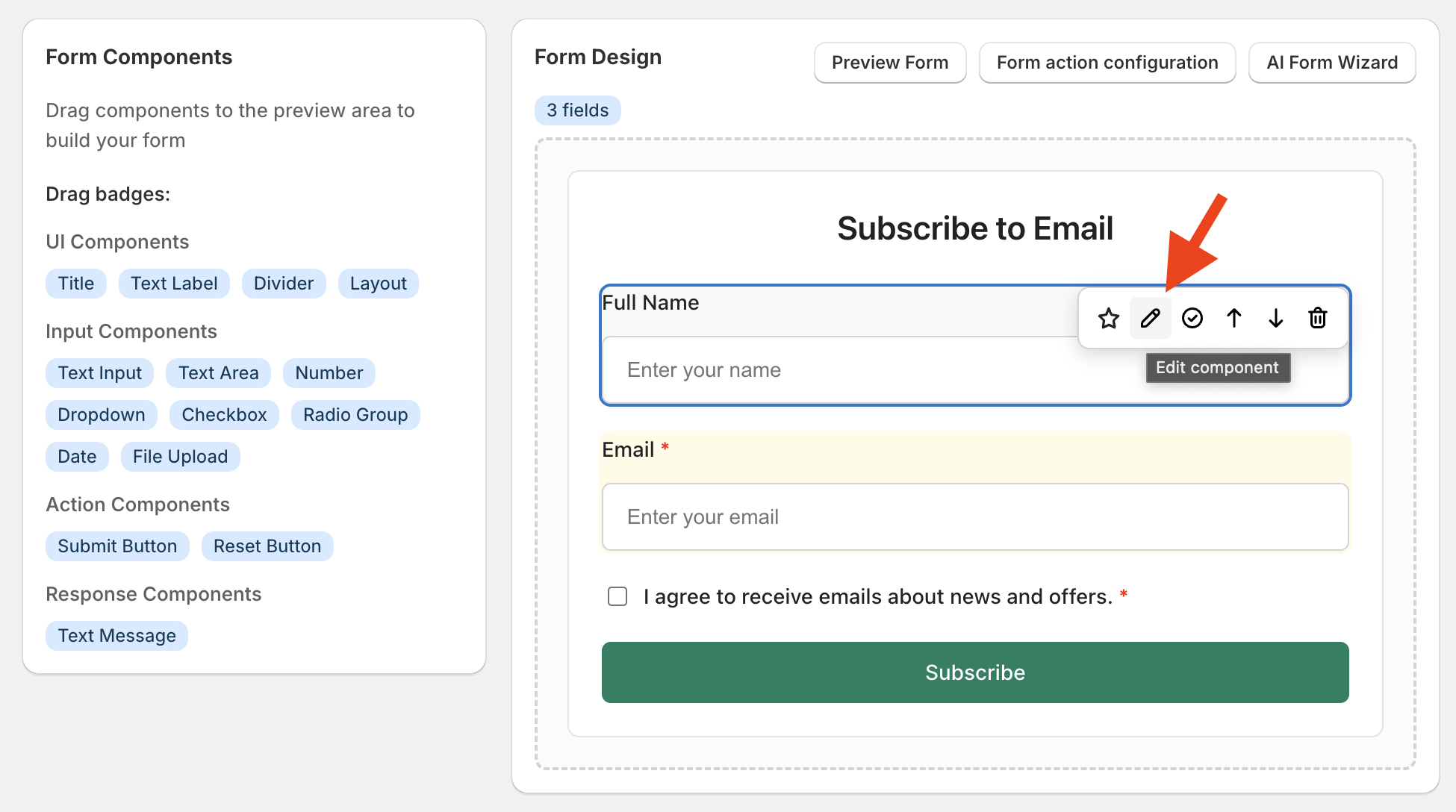
You can click on the edit icon Form Design to edit the settings for the element.
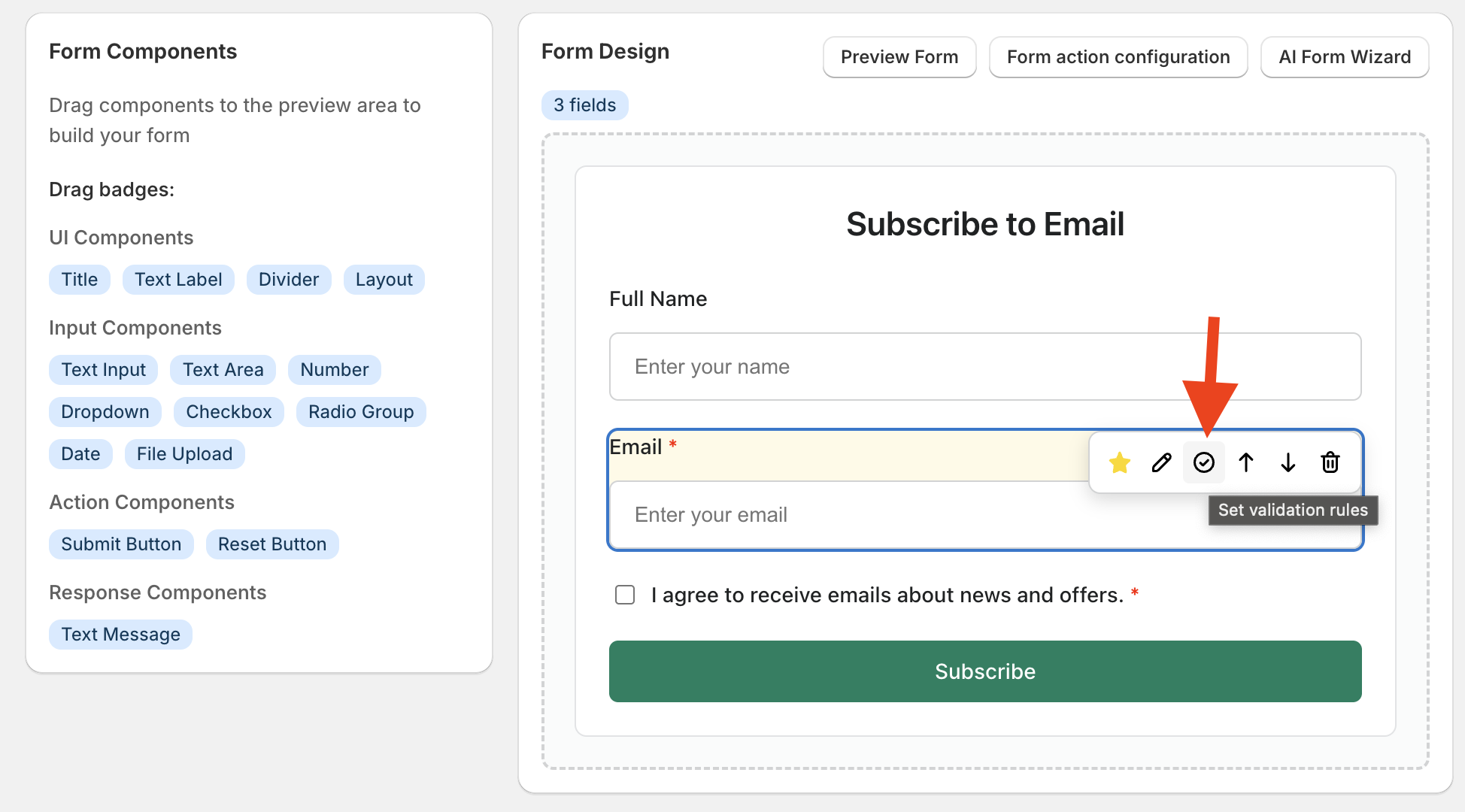
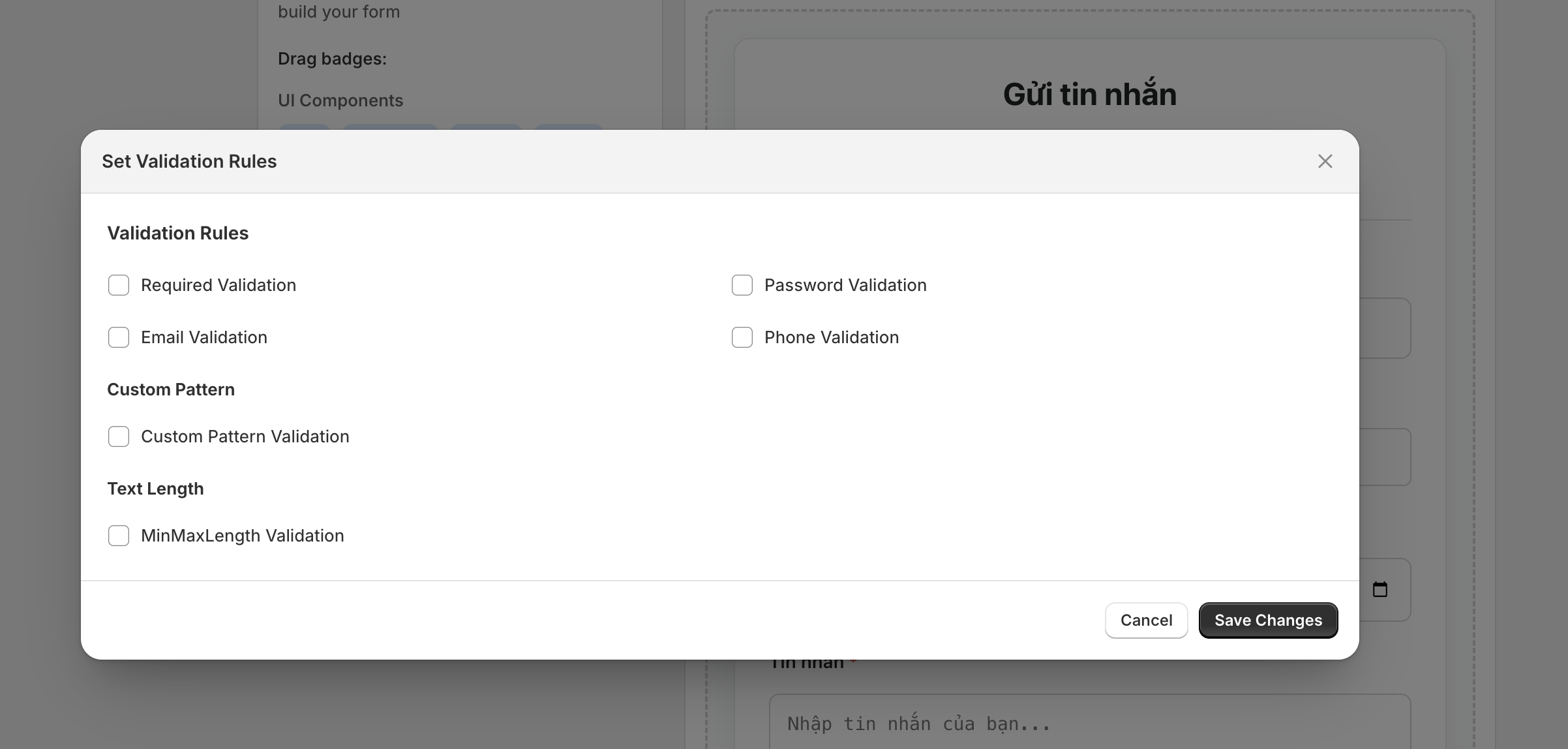
Click on the star icon to set Validation Rules.
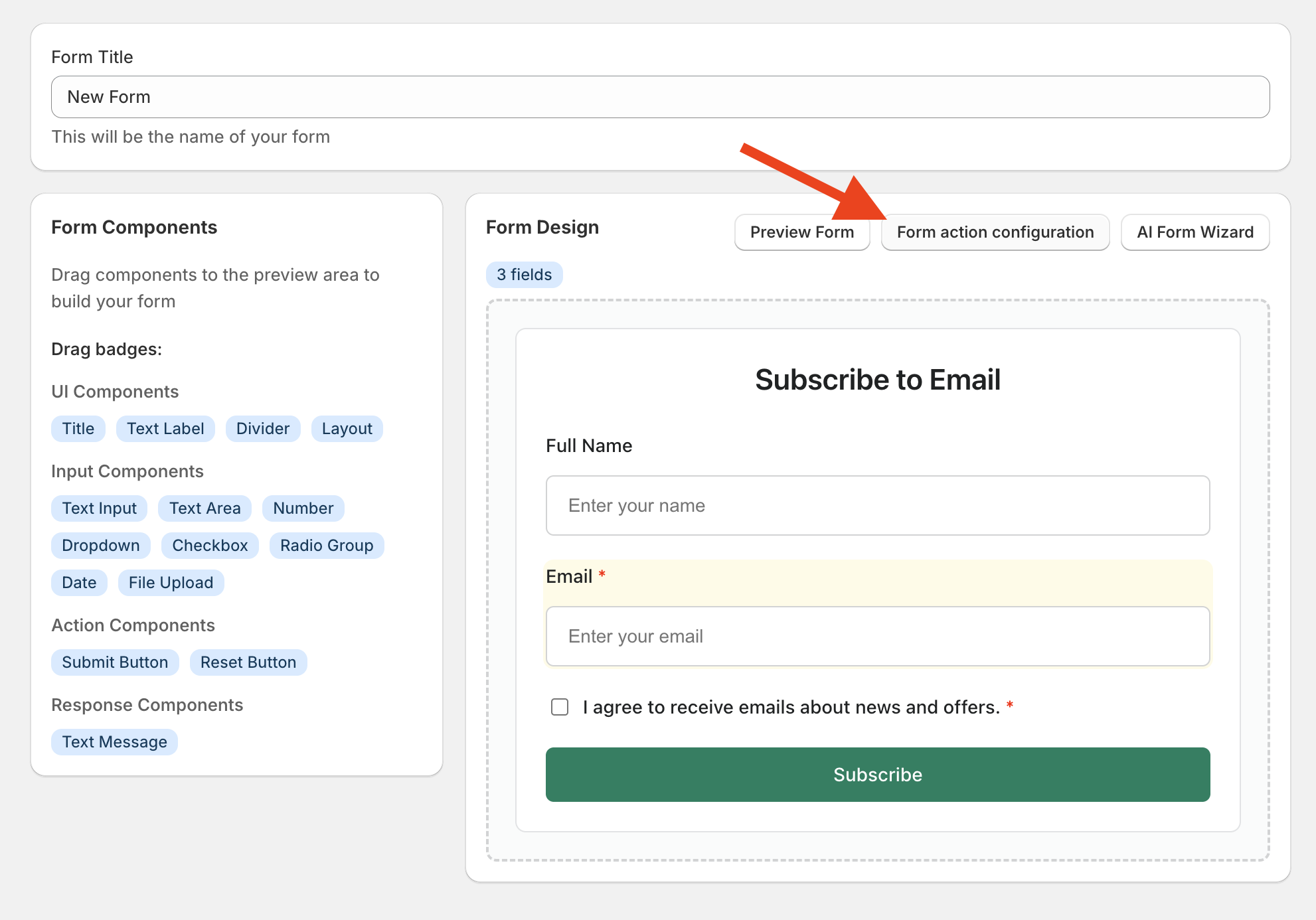
Click on Form action configuration.
Click Save after you are done.
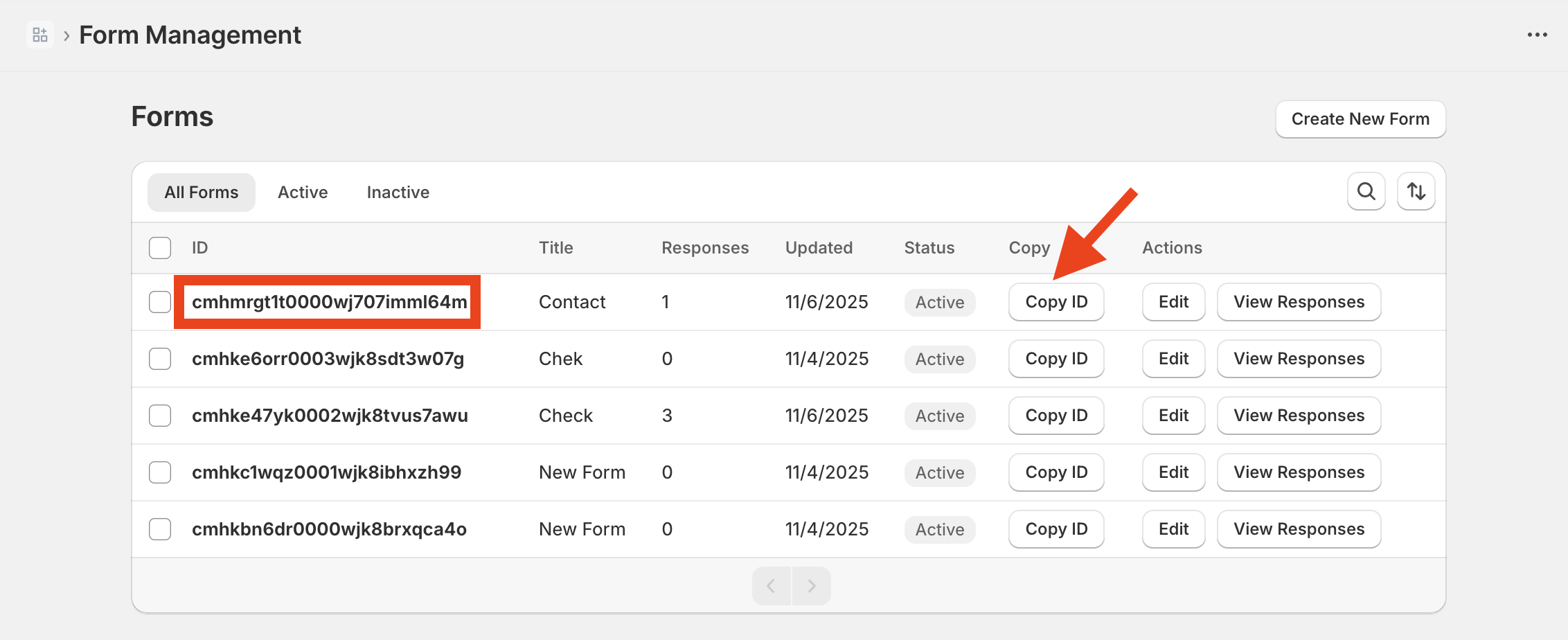
From the app dashboard, open Form Management.
Click Copy ID of your form.
Navigate to Sales channels > Online Store
In Themes, click Customize button in your current theme.
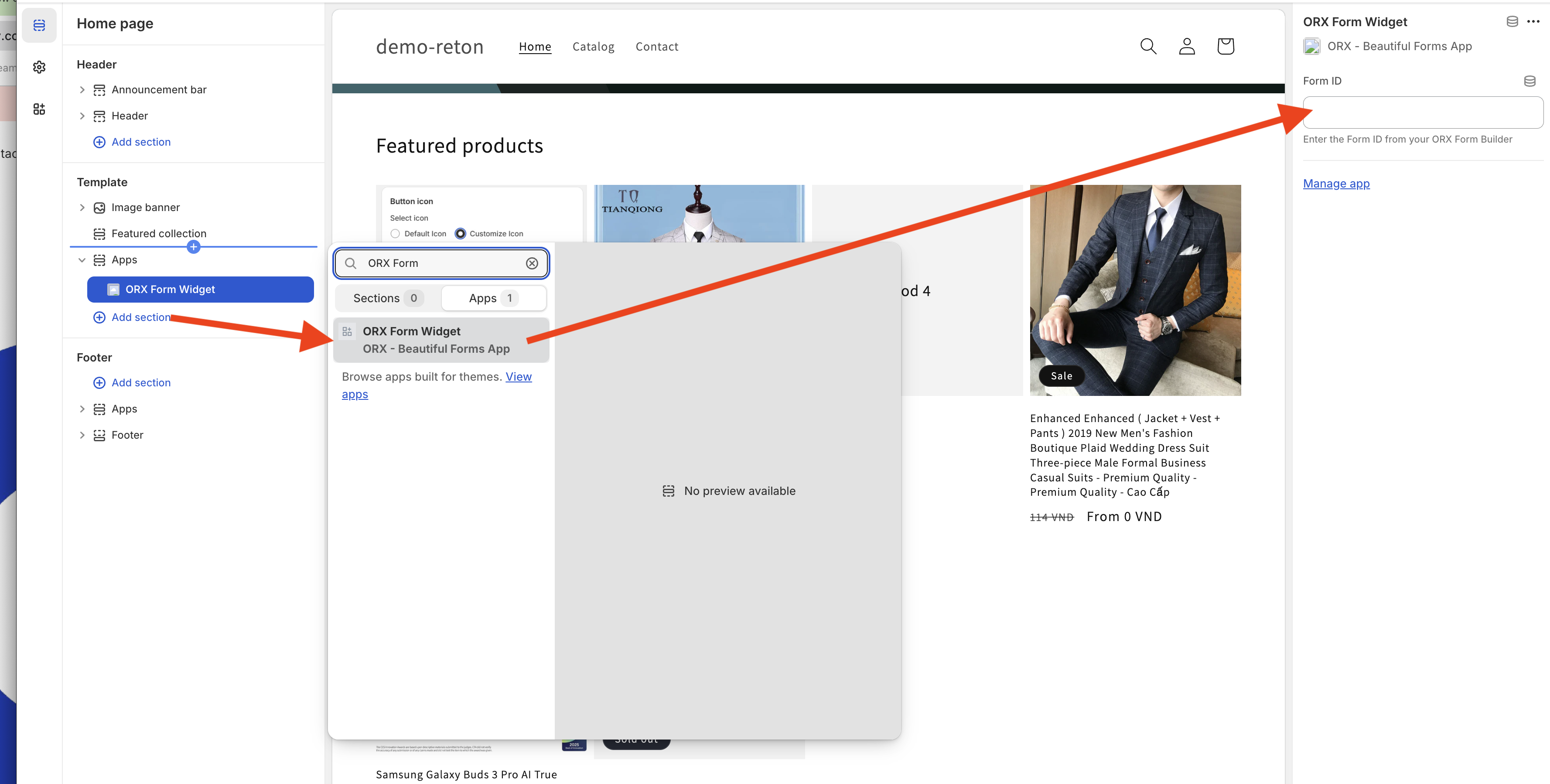
Open the template where you want to add the form.
Click + Add section, open Apps tab, and select OIX - AI Custom Form Builder.
Paste Form ID and click Save button.
Need assistance?
Contact our support team via live chat or email us at [email protected]. We’re always ready to help!
